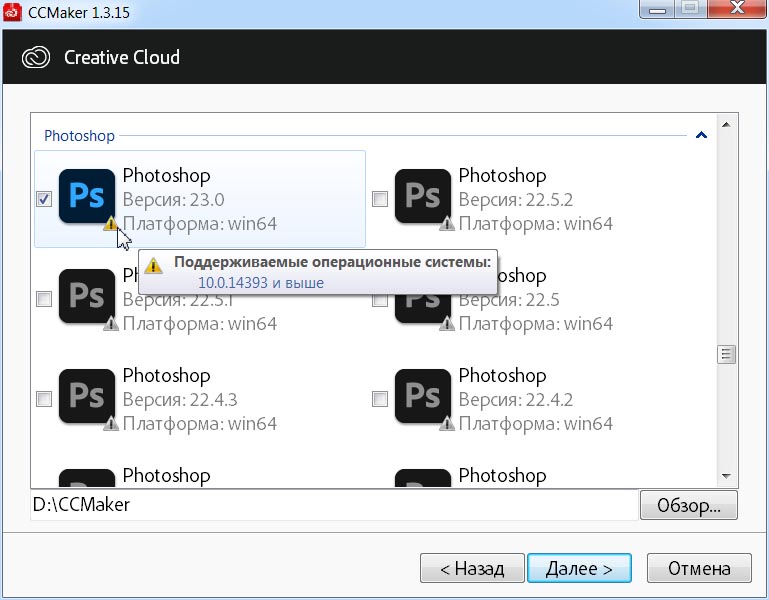
Installing Adobe Photoshop and then cracking it is easy and simple. The first step is to download and install the Adobe Photoshop software on your computer. Then, you need to locate the installation.exe file and run it. Once the installation is complete, you need to locate the patch file and copy it to your computer. The patch file is usually available online, and it is used to unlock the full version of the software. Once the patch file is copied, you need to run it and then follow the instructions on the screen. Once the patching process is complete, you will have a fully functional version of Adobe Photoshop on your computer. To make sure that the software is running properly, you should check the version number to ensure that the crack was successful. And that’s it – you have now successfully installed and cracked Adobe Photoshop!
The app has a different approach to information display, and is less organized than Photoshop CS. The UI is cleaner and, in my opinion, has less usability. Although the interface is probably easier than CS to navigate, it is less apparent what functionality will be available in the upcoming iteration of Photoshop Elements.
Photoshop is one of the best tool for editing. With all the new version, it is remain the number one multi-purpose editing software. The best feature in latest Photoshop version is the Livestream feature for iPad users. This feature makes it possible to work on images on any device and share your work easily.
Photoshop has always been and remains the best way to edit, retouch, and make digital images find their best place in the world. It’s an excellent tool for creating any kind of media—photographs, animations, video, or digital or traditional print projects. It’s also the best tool to edit, retouch, and finish your images for the web and at high speeds. I don’t believe there can be a tool better suited for web-based work than Photoshop. It can handle everything from graphics to making complex web sites, videos tools, and images for print projects. Photoshop’s ability to create, edit, and export at high speeds is unmatched. In fact, it beats Photoshop Elements when combined with Lightroom.
The latest update says Photo Extend is live! What does it do? It allows you to copy all or part of a photo to another location and save it there. The extension can also edit the original and save it again. You can also remove people or objects from a photo. Data is not stored with the photo file, and the person you remove will not know that their photo has been edited. Adobe makes it easy to keep track of the edits you make, and you can choose to remove the original file after editing or leave it.
While the program has been around for most of its life with only a few versions being released, the first original release of what we know today as Photoshop was released in 1987. As a company, Adobe is the original creator of Photoshop, along with Illustrator which was launched in 1987. After that launch, there have been some upgrades to the programs. For example, in 1995 the first version of Photoshop with the improvements of Layer Masks was released for $7,000 US.
Explore > Photoshop is what you have come to expect from Adobe in creative design. Come experience these new features and workflows; explore the new editing tools that help you transform your idea. We also have new cloud services that you can take advantage of with one small payment, starting now! Sign up for the preview.
Is it difficult to use Adobe Photoshop?
Adobe Photoshop is very similar to other photo editing software. It has got several editing options. The editing options can be extremely handy for any photographer, as they can edit everything within the photo from lighting, colors, saturation, brightness, contrast, etc. There are several plugins available that can fix minor issues with distortion and recover lost details. You can even rotate and flip images. The editing options are available for all your shots from various angles and from different lenses.
What are the best photography editing software?
Adobe Photoshop is one of the best options. Some of the editing options include is brightness, contrast, exposure, saturation, colors, and more. If you’re a professional photo editor, then Photoshop is the best option. There is bound to be a Photoshop tutorial for just about any skill level.
While Photoshop is a complex program, it’s also highly customizable.
933d7f57e6
As you know, Photoshop has millions of users and it is the most popular tool for editing and creating photos. The new Photoshop CC 2019 comes with a sleek user interface. Define, create and edit any picture type with these highly developed tools.
Photoshop for the web provides access to the same powerful and familiar Photoshop features that we have come to expect from PCMag’s Editors’ Choice photographers, but these are now available for anyone and everyone to tweak, refine, and augment their images in the browser, just as if they were installing Photoshop on a desktop or laptop in the cloud, from virtually anywhere on the web. In addition to the group editing and image merging tools mentioned earlier in this article, Photoshop for the web introduces several new features to the web-based photo editor that allow you to easily produce 2D and 3D volumes from your photos, as well as quilts, composites, and maps. The app has been rebuilt to work offline, and it is packed with dozens of updates and upgrades for efficiency, usability, and performance improvements.
Adobe expects to extend the wide range of current web-based editing features with several branded and third-party extensions to Photoshop for the web, including extensions to the popular selection tools that help you isolate a bigger object, cut out a smaller one, and resize objects without distorting or losing fidelity of the pixels. Adobe is also working with and going to distribute a number of big name brands with their own extensions to Photoshop for the web, including extensions from high-end photo retouching and enhancement plugin developer DxO Labs, offering their popular DxO PhotoLab plugin as an extension for Photoshop for the web. By releasing this feature as a web-based editor, you can now preview images without wasting bandwidth on file downloads.
photoshop custom shapes zip free download
download unlimited photoshop custom shapes pack
download custom shapes for photoshop 2020
telephone custom shapes for photoshop free download
circle photoshop shapes (csh free download)
photoshop shapes csh free download
arrow custom shapes for photoshop free download
photoshop cs3 shapes free download
photoshop human shapes free download
hexagon shapes for photoshop download
Lightroom is a photo-editing application from Adobe that shares many similarities with Photoshop. For example, there are panels, an outline editor, layers and more. Lightroom’s capabilities are a bit limited when compared to other full-fledged editors, but its quick-edit tools make it a worthy learning resource.
Adobe Photoshop Fix is a version of Photoshop meant for color correction and more. It is a standalone version of Photoshop, which is why it comes with a different colour consumption. Photoshop Fix is a totally free program, and the developers release regular updates on a monthly basis. The update may be released as a patch for the main Photoshop application. When you totally familiar with the newer features, you can easily and frequently use Adobe Photoshop Fix.
With the addition of filters, a new workspace, next-generation version of the Photoshop collection, and an online subscription, Adobe Photoshop CC is a major evolvement of the powerful image editor. To learn how Photoshop CC can help you in your everyday editing tasks, visit: Adobe Photoshop CC: CS6 Features.
GIMP is adored by some, while the rest use Photoshop. Most users use both. GIMP is usually a lot less powerful than Photoshop in terms of functionality, features, and versatility. However, it is affordable and is a flexible application. There is no expiration of GIMP license like Photoshop. Photoshop is very vast and has incredibly more powerful features and less bugs.
The company has also appointed the application named Flow, which is a web application. This is a Design Accessible Dashboard for Adobe Photoshop CS5 and CS6. It represents all the Google Chrome plugins that you can install in the web browser and manage the software on numerous computers. For example, you can use the plugin to interact with each area of the plugin and computer where the application is installed.
The software comes with a list of Adobe licenses, which you can upgrade either monthly or annually. However, using it is entirely up to you. The offer includes features, tools, tutorials and holiday offers. The application is operated through the Adobe Creative Cloud as you can see in the
Whether you are running on Mac OS, Windows or Linux, Photoshop lets you edit and display images of all standard and legacy image formats. You can also open and edit advanced RAW files. You can work with layers, and adjust their transparency, color, and vibration values. Composite photos and add effects to them. You can crop, rotate, reorder, and resize the image. You can also add text, and create photo collages and other similar editing tasks. Adobe Photoshop’s RAW image editing toolbox is comprehensive, and one of the best in the industry.
You can also resize images. You can work with vector layers and much more complex layers, such as Smart Objects. You can create your own brushes in the Brush tool. You also have more tools for masking and selection. You can add effects such as text and gradients to an image. Many effects can be applied automatically to make the image tone, color, or contrast, or more to give it a specific look. Freehand text, shapes, and filters can be added easily. The toolbox includes the Paths tools for editing vector paths, the Lasso and Magic Wand tools, the Gradient tools, and the Brush Tool. You can easily split and join shapes with Pathfinder. There are more than 300 filters, special effects, and special effects in Photoshop. Finally, you can even customize panels with the aid of plugins.
https://techplanet.today/post/ubeco-profil-full-rar-upd
https://techplanet.today/post/xprinter-xpc260k-driver-47-verified
https://techplanet.today/post/rpg-maker-mv-japanese-character-generator-expansion-2-license-keygen-top
https://techplanet.today/post/igo-primo-9613-euope-pna-exclusive
https://techplanet.today/post/autocad-map-3d-2016-x64-xforce-keygen-download-upd
https://techplanet.today/post/mugen-saint-seiya-ultimate-cosmo-hot
https://techplanet.today/post/inventor-2015-keygen-xforce-repack
Of course, Photoshop CC 2017 delivers new drawing tools, too: There’s a new brush engine that provides pliable, customizable hard and soft edges. There’s also a brand new World Map tool and the ability to paint virtually any type of terrain you want. And new Shape Features enable you to find and edit closed shapes, like circles and ellipses, as well as convert your EPS (vector-based) files into Photoshop documents.
But that’s not all. Photoshop CC 2017 also adds a powerful new node-based compositing workflow that makes it easy to match and blend images, layers, and even 3D models. Adobe XD supports all kinds of workflows in a cloud-based environment. It includes an HTML5 canvas, supports Photoshop-native artboards, and can be wirelessly shared.
Adobe Photoshop CC 2017 also comes with a cloud-based asset repository that can be shared with clients and collaborators. With a single click, you can access and work on shared assets, such as multiple versions of a single image, from any computer. When you make changes to a shared file, the changes are reflected in all connected devices.
The new Adobe CS6 Tutorials are a series of video tutorials available to all users with Adobe Creative Suite 6. Learn to harness Photoshop’s new features and capabilities, add and edit retouching mask effects, enhance images and drawings with lighting elements, and much more. Examples apps in the lessons include Songbird, Collaborate, Sketch, Dreamweaver, InDesign, Illustrator, and FrameMaker.
In this section, you will find some of the more popular features in Adobe Photoshop. These include ways to enhance and polish your photographs, add borders and objects, create artistic designs, and more.
Elements (Adobe Photoshop Elements) is a powerful digital photo editing, rich media and publishing tool. It includes a collection of features for enhancing, printing and preparing images. Some of its functions include editing, enhancing or that is, removing blemishes and imperfections, improve color and contrast, resize, crop, titles, frames, and convert. It is an easy software with a user-friendly interface.
I haven’t used Photoshop over the years, but I can say that on numerous occasions, I was impressed with the capabilities and free range of powers provided. But, without further ado, let’s get to the point: photography to design and to create media is never ending, and it should be free of any barriers.
1: Preserve images without losing quality: The Photoshop gives great boost to the photographers, who can enhance the quality of images by making use of various editing tools. With the advanced textures and creative filters, you can wildly alter the colors, tones and blemishes of the images making it look more natural. All in all, the Adobe Photoshop is a versatile and a powerful tool that delivers the best and most organized editing experience through a unique and intelligent interface.
2: Creative workflow: The Photoshop gives a great legacy of images and a powerful image editing tool to choose from; The best thing about the Photoshop is its ability to be a creative workflow tool that offers an open and extensive editing experience. With all these tools, you can use them for editing and craftsman as a whole. So, if you don’t have the time to download the editing apps, you can use the Photoshop itself; you just need to get creative and use this tool to reach every corner of the creative workflow. Creative tools are not only limited to the image editing as they can help you in creating content, creating 3D objects too! So, if you’ve got creative ideas for your projects, then you can use the Creative apps to realize it, for example, Design CC. You can download the app from the Adobe Design on your PC.
https://ojse.org/wp-content/uploads/2022/12/Adobe-Photoshop-CC-2018-Download-Serial-Number-For-PC-X64-2023-1.pdf
https://thefpds.org/2022/12/25/photoshop-download-background-new/
https://thecryptobee.com/adobe-photoshop-2021-version-22-5-1-download-product-key-license-key-win-mac-final-version-2023/
http://efekt-metal.pl/?p=1
https://nanocafes.org/download-free-photoshop-cc-2019-version-20-lifetime-activation-code-new-2022/
https://dottoriitaliani.it/ultime-notizie/alimentazione/photoshop-presets-free-download-zip-top/
https://agladmv.com/wp-content/uploads/2022/12/anokfryt.pdf
http://nmcb4reunion.info/wp-content/uploads/2022/12/rozwine-1.pdf
http://www.kiwitravellers2017.com/2022/12/25/download-photoshop-2022-version-23-0-2-keygen-full-version-latest-2023/
https://www.mhf-aventure.fr/2022/12/24/how-to-download-adobe-photoshop-cs6-for-windows-10-hot/
The Straighten tool can be used to straighten images of different aspect ratios. The crop tool can also be used to create a shortening or narrowing of images. A crop should be selected in the desired angle by clicking between the straightening tool and the crop tool and then holding the Shift key and clicking.
With the help of Spot Healing Brush tool, you can fix the blemish or spot on the image. If you want to remove a spot, select a Spot Healing Brush by clicking on the Spot Healing Brush tool. Then, choose a spot and click on the Spot Healing Brush tool. You can check the preview before deletion.
With the help of selection tool, we can select the perfect item from the image. To select the image area, you can use the Lasso tool. Once you are done with the selection, you can choose the item on which you want to give an effect.Adobe Photoshop Features
You can use the Clone Stamp or Healing Brush tool to replace selected items that are in the image. Use the Patch from expert panel to create a new section of the background or objects.
From the very beginning, photographers have used Photoshop to retouch or alter their photos. Since the first version of Photoshop was released in 1993 by Adobe, it has become the de facto standard for image editing and retouching. With an estimated 30 million installations worldwide, Adobe Photoshop is one of those few programs that can lay claim to being “the standard.”
The original release of Photoshop was called Photoshop 1.0 in 1992. Following a series of upgrades and hundreds of thousands of trials and errors, it is every photographers dream app. If you don’t believe us, check out the development timeline of Photoshop below. The original Photoshop was a lot harder to use than it is now and created digital images that were very hard to tell apart from people’s photographs. Developing a version of Photoshop that truly functioned as a photographic retouching program was an uphill battle. It certainly isn’t the same program its creators envisioned when the first version was released.
Adobe Photoshop CS5: Create professional images anywhere represents the next step in a landmark series of books devoted to the creation of computer-generated art and photography. It provides deep coverage of the complete range of changes to Photoshop CS5, from brand new features like the Content-Aware Scaling smart filter to upgraded image processing modules like the advanced curve filter, high dynamic range (HDR) mode, and extensive new retouching applications.
Adobe Photoshop: A Complete Course and Compendium of Features follows up on its #1 best-selling book, Photoshop CS: The Complete Course and Compendium of Features, guiding you in creating, editing, and enhancing images and designs by using the all-new features and tools introduced in version CS3. You’ll learn everything from creating an oil painting in Photoshop to working in Photoshop Lightroom and creating ebooks using the Photoshop eBook format. This book gives you the guidance you need to achieve professional-quality results with Photoshop and become a true master of this powerful image-creation and editing program.
Adobe Photoshop CS2: Create commercial-quality digital images offers a balanced blend of new features, quick tips, and proven techniques to help you increase the quality and impact of your digital images. It explains the most advanced tips and methods of the Photoshop CS2 edition and how to use it to produce professional-level images.
Adobe Photoshop Elements 9: Creative Ways to Create 3D and Photorealistic Pictures gives you the tools to create stunning 3D images. Whether you want to assemble a 3D scrapbook or family photo album, create 3D e-cards or 3D pop-ups, or simply create ultra-realistic picture-perfect photos of your significant others—you don’t have to be an expert artist to take your digital images to the next level.
Most desktop computer owners have Photoshop and it comes with a fair number of tools and filters, as well as decent nondestructive features and a good set of options for workflow control. But Elements is for those who want a more user-friendly package.
With Photoshop Elements you can easily create websites, logos, documents, presentations, videos and more all with no-fuss features and realistic results. Easily apply text, shapes, color, effects, and other editing tools to your images. Set up a timeline for your projects and easily edit videos—and thanks to the integration of powerful AI technology, you won’t have to spend countless hours fiddling with complex settings. Master your photographic editing skills easily in this innovative software that both beginners and pros will love.
When you compare Photoshop Elements to Photoshop, there’s no way to deny that Elements, though it lacks some of the more complex editing tools, has its own set of filters and effects to help you create stunning photos. It also has a comprehensive set of more basic editing tools in the Camera Raw module. That said, you still do have to install Photoshop to do this. To make up for that, Elements has plenty of editing tools and formats and good auto-correction features. As a painting-style photo editor (think: Instagram), Elements might be easier to learn than Photoshop.
Adobe Elements has plenty of pro and enthusiast features, but with a few exceptions, they’re all tamper-proof ways of keeping you from screwing up your images. For some, it might be more Photoshop-like than your usual, minimalist photo editor.