It’s relatively easy to download and install Adobe Photoshop. You need to go to the Adobe website and download the version of Photoshop that you want to install. After you have the download, you can run the installer and follow the on-screen instructions. Once the installation is complete, you need to crack Adobe Photoshop. To do this, you need to download a crack for the version of Photoshop that you want to use. Once you have the crack, you need to close the installer and run the crack. The crack should automatically patch the installation and run it. If your computer has Windows Vista, you will be prompted to install a file extension handler to allow the installer to run. After the patching process is complete, you can run Adobe Photoshop. To make sure that the software is running properly, you should check the version number to ensure that the crack was successful. And that’s it – you have now successfully installed and cracked Adobe Photoshop!
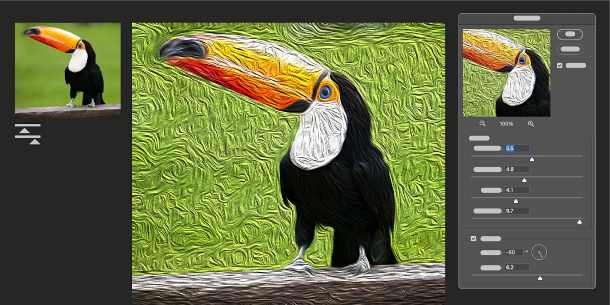
Even though I’m a Lightroom user, I still have a small amount of Photoshop knowledge. While it’s not for everyone, if you’re the kind of person who likes images and can’t live without Photoshop, then you won’t regret purchasing it. And if you’re already working in Photoshop or need to quickly create retouching masks, you may find this to be a good alternative to Lightroom.
Are you considering a purchase of Photoshop? Read this review to find out the pros and cons of the software. For a lightroom user, you may have second thoughts on choosing between Photoshop and Lightroom. What is the difference between each? Good question, and let me help you have the answers. I may be biased, because they are my favorite tools. For some time now, I have used the latest version of Photoshop as my on-the-go photo editing tool.
ABOVE: This iPhone photo taken on a wonderful day at the beach. BELOW: The same photo but in Photoshop, but without the histogram, the level tool, the saturate tool, or the pearlescent filter.
ABOVE: This beautiful photo of a father and his little boy. Wow, what a feeling! A beautiful shot, great composition, and SO much awesomeness! BELOW: The same child with the same photographer, taken from a similar place, using similar style, about the same age, and not much else done to the image between the two photographs…
It links all the way to the desktop version, but there are sections that could have been made to feel a bit more luxurious and inviting, keeping the aesthetic of the design that much better. Perhaps the most glaring one is the Library, where you can view installed brushes and the like; where items can be found, but they’re tucked away all the same.
Whether you’re looking to start a new or join the ranks of experienced graphic designers, Adobe Photoshop is a powerful tool for getting creative with your work. It offers a wide range of features to help you edit images, layouts, and even vector graphics. Adobe had its beginnings with the point-and-click graphics editor, Photoshop, and has since expanded its offerings.
Software is a tool that allows you to do so many things. Sounds like there is very little that it can not do? However, if it doesn’t work as well as you would like it to, sometimes it will be a struggle to fix these problems. You need to remember that software isn’t the only tool you will require, it is the tool that compresses and attaches your raw material, but you will also be needing other types of software like 3D Studio Max, Maya, or Cinema, among many others.
Photoshop is an application created by Adobe Systems to edit photographs and other graphic images, and it is considered to be the industry standard. It can be used to create and manipulate images, such as, altering the resolution, changing color balance, removing blemishes, adjusting autofocus, and other similar operations.
Photoshop is an image-editing software used to create images such as slideshows, movies, and many other applications. Photoshop has become an entire industry by itself, and thousands of companies are making money from it. Think of Photoshop as the king of editing software, and there are many different platforms available to use. Here’s an overview of each:
933d7f57e6
Photoshop CC comes with a handful of powerful tools that give you the ability to retouch and edit your photos in a professional and fast manner. You can crop an image by simply dragging a rectangular selection window around the image. The newly added masking and cloning tools give you the ability to edit specific parts of your image, making it much easier than before. Using the Content Aware Fill option, it is now possible to retouch the top of a picture to remove all the imperfections and clear up the top of the photo.
Alchemy and Paint Bucket Fill are two more powerful tools in Photoshop. The Alchemy tool allows you to create new layers that you can fill with one of your favorite colors. This tool is helpful in creating a combination of different colors. Whenever you change the color of a particular area, it does not affect the existing layers. In this process, a new layer is added with the changed color. The Paint Bucket Fill tool is another tool that allows the user to paint with different colors. The basic idea is similar to the tool “Paint Bucket” in the Windows operating system, which is a tool that can be used to paint a particular color to a surface. The Paint Bucket Fill is used to replace such areas with the specified color.
Adobe Photoshop CC 2017 will be available from the 1st of January 2016. It will be available in both Mac and PC versions. Adobe Photoshop CC 2017 is the latest of the renowned Adobe Photoshop CS6, Photoshop CS7, Photoshop CS9, and Photoshop CC. To know more about the features that you’re going to get with this next version of Photoshop, read the previous post on the features of Photoshop CC 2017.
photoshop download for pc software
photoshop cs2 keygen free download software
photoshop cs2 free download software
photoshop cs3 download software
photoshop cs11 free download software
photoshop cc download software
photoshop download students
photoshop pc download software
adobe photoshop 6.0 download software
adobe photoshop download software 7.0
The Adobe Photoshop has a user interface which increases the speed of activity and reduces time in processing. The user interface is simple with the help of multiple toolbars. Editing of the web pages and images, saving them, sharing them with others, are all possible through Adobe Photoshop.
“Maxwell can make you a better user of your smartphone camera. The primary users of photography apps and content look at smartphones the same way other people download apps and movies. They want easy access, speed, and the ability to instantly share what they see. We get calls throughout the day from users who are often frustrated with smartphone cameras. Most users don’t know how to get the shot they want and end up simply snapping photos of what they see that day instead of learning their phone’s camera. We needed to solve the user’s frustration, and we solved it by building the most powerful mobile photography app and service that focuses on helping users get better photos. To get the best shots, you need to take your hands off the phone so that you can preview what you want, train your camera how you want, and get to your perfect picture.”
There are several ways to edit images. You can do it manually, with the right tools that can be downloaded. Photoshop software/software is also available free and is a very good picture editing software. In such software, you can make adjustments and changes to digital photographs.
Photoshop CC: One of the best ways to gain advanced Creative Suite skills is to take Adobe Photoshop CC: One of the best ways to gain advanced Creative Suite skills is to take the Photoshop CS6 training.
One of the more exciting new features of Photoshop is the new Flatten feature, which is debuting in Version 2020.02. With this feature, you can choose layers and even combinations of layers and merge the smaller into one with a single click. You can select one layer or any number of layers that you like and then flatten the content using the new Flatten feature. With the new combined layer, you can easily delete, duplicate or place new layers on top of it.
The new Photoshop upgrade also features advanced image editing tools, such as the new Liquify tools, new in-painting tools, and new shape tools. Photographers will be thrilled by the ability to edit layers and flatten individual layers without losing control, in order to make adjustments in the hierarchy. The new Adobe Camera Raw integration lets you finish your image editing post-shot. The new tools let you edit shapes, erase, and adjust opacity. The text tool features a new text placement feature, and the pen tool can now manipulate the outlines of your text.
The new Liquify Draw tools let you apply Liquify and Magic Wand sculpting and editing to your images. This powerful tool lets you edit the color, contour, and transparency of the subject in the image without affecting the image’s other elements in the original layers. You can also edit your layers in the Layers panel for even greater control. The new “magic wand” tool enables precise selection of any figure or shape across a whole image with just one click.
https://new.c.mi.com/global/post/473880/Neuropsicologia_Humana_Bryan_Kolb_Pdf_WORK_Downloa
https://techplanet.today/post/gambar-kontol-bapak-gay
https://new.c.mi.com/th/post/788067/1001bit_Pro_Sketchup_Crack___LINK___Torrent
https://techplanet.today/post/torrent-pp2000-peugeot-v25-top
https://new.c.mi.com/th/post/784344/Dreamweaver_Free_HOT_Download_Full_Version_For_Win
https://techplanet.today/post/pc-eng-tmpgenc-xpress-v473292-hot-keygen
https://techplanet.today/post/anna-marie-gutierrez-takaw-tukso-free-movie-exclusive
Designed specifically for working with video, the video editing software Adobe Premiere Rush is aimed at people who want to make web clips, videos, and other content. The application has a few video editing and chroma-key video effects, plus a slew of controls that let you adjust to your preferences. It’s fast, easy and powerful.
Skilled designer or retoucher can use Photoshop as it is a professional studio software, As a professional software that is widely recognized among different industries, It allows you to enhance or restore the image according to your expectation.
Adobe Photoshop CC version 7 brings in an added functionality, in which you can create a collage by group. This means that you can merge, cut and paste images into a single image in a collage. In this way, you can show the different aspects of a single subject, color, etc. It’s one of the most powerful tools that can make you edit stunning images. With the CC version, you save more time and get more work done. Moreover, you enjoy the performance benefits of powerful hardware and macOS.
The newest version of Photoshop, called PP CC version is created for the photographers who are working out there. And essentially, it has a powerful and broad array of creative features to help you make the best images.
Adobe Photoshop CC is a complete, 100% cloud-connected visual art and design application, built from the ground up to help you create your next masterpiece. Put simply, it’s the answer to everyone’s professional creative workflow questions by consolidating everything you need to bring your ideas to life.
On this site, you can find articles on everything from the basic Photoshop select tool options to color management. Additionally, you can learn how to select tools, how to edit curves and create creative effect layers, how to select non-destructively and how to print your design using DTP workflows. Browse or search for other related articles such as different Adobe Photoshop techniques, tips & tricks, how-to articles, and guides for different design workflows on Tuts+.
With BecomePhotographer’s documentation, you will also learn to relax as well as get the most out of your passport and stock photo services. So don’t let your dreams of working on photo productions curbed by the fear that you will have to work with a color system that you have never learned. The ability to work with Photoshop is still the most important thing when it comes to making a living as a photographer.
I am planning on starting a buy/sell photos photography website in the near future. In a sense, starting a business concept that hasn’t yet been launched is difficult. Many questions have to be asked, answered, and questions have to be answered about the business model as well as the experience that a customer would have “from A to Z” by a photographer.
Freelance photography business requires a substantial amount of time to be spent on focusing on it. It requires a certain tenacity to establish the target market, to make lots of content, and to put them out in the public. Especially when there are a number of successful websites out there that are also successful in generating traffic.
https://pianoetrade.com/wp-content/uploads/2022/12/Adobe-Photoshop-CC-2015-Version-16-Free-License-Key-Activation-Code-WIN-MAC-X64-lifetime.pdf
https://dottoriitaliani.it/ultime-notizie/bellezza/download-free-photoshop-2021-version-22-1-1-free-license-key-pcwindows-new-2022/
https://thefpds.org/2022/12/24/download-adobe-photoshop-cc-2018-with-registration-code-patch-with-serial-key-hot-2023/
https://parnianproteinpars.com/adobe-photoshop-2022-version-23-download-free-activation-key-win-mac-x32-64-latest-version-2023/
http://hudginsenterprises.com/3d-actions-for-photoshop-free-download-verified/
http://theartdistrictdirectory.org/wp-content/uploads/2022/12/phewaky.pdf
https://articlebeast.online/adobe-photoshop-cs6-13-0-free-download-full-version-__hot__/
https://parsiangroup.ca/2022/12/photoshop-2021-version-22-5-1-download-activation-code-latest-update-2022/
https://www.grenobletrail.fr/wp-content/uploads/2022/12/planes.pdf
https://annikerfish.com/2022/12/23/adobe-photoshop-cs-software-download-for-windows-7-hot/
Elements continues to include functions from the Design and Web Applications parts of Photoshop. For example, you can continue to use the Layer styles features and you see layers the same way you do in Elements. Likewise, you can continue to use the various blending and editing functions in Photoshop for Elements.
Elements continues to support large format RAW files. Large RAW files weigh in at over 50 MB each. Image editing RAW files are stored in the same location on the native drive and in the same file structure as the JPEG files you encounter and manage in Photoshop. These large format files can also be open in Photoshop Elements 11 or Adobe Lightroom II.
As a PCMag Editors’ Choice winner for best photo editing software, Adobe’s Photoshop is the bestselling photo editing software in history. Photoshop continues to draw legions of elite photo professionals in the computer arts community. It offers a robust feature set and brings many powerful effects and features to consumers. With more than 100,000 copies sold, Photoshop Lightroom remains an iconic photo file manager. Lightroom also meets the needs of prosumers and photographers with beginner-friendly interfaces, seamless integration with Photoshop, and cloud functionality.
There is a large number of functions, tools and features that can be used by an image editing software and Photoshop surely has one of the most fancy and consistent functions that can be dedicated to your work. These include many unique tools and functions that have never been seen before.
From the moment you work on a new project through collection, craft, and delivery, Adobe Sensei helps you deliver perfect results. Adobe Sensei will be available for Mac, Windows and iOS users later this year. It will also come to web and Android users by the end of 2019.
“We’re thrilled to be offering Adobe Sensei AI in desktop applications for the first time,” said Scott Belsky, VP Product Management. “Our goal is to keep Photoshop on the cutting edge of creativity and so we’re thrilled to have the opportunity to explore the power of AI and machine guidance.”
Back in December, we told you about a new feature in Photoshop CC that makes retouching your images on a browser incredibly easy. Soon, Photoshop CC users will be able to edit images in a browser without leaving Photoshop.
The next time you do an image-editing project on the web, you can now use Quick Edit to quickly retouch selections. Quick Edit works on images you’ve uploaded to Adobe Stock or saved in Creative Cloud Libraries. As with all Quick Edit options in Photoshop, there are no limits to the number of edits you can perform at once – and none of the time-commitment.
Adobe is always looking out for new ways to make our tools fit into the rest of your workflow. For instance, until now, you couldn’t use Photoshop’s in-app sharing from mobile devices to upload images to Adobe Stock.
We’re making it even easier to create beautiful prints with the addition of a new Print & Scan tool in Photoshop CC. This tool can be used with a variety of cameras, including the Adobe Scan, Epson Perfection V330, and Epson Perfection V750 Photo Plus. When using the print & scan feature, upload your files to Creative Cloud and then print them right from within Photoshop.
“On the heels of the launch of Adobe Sensei in Photoshop, we are taking a number of additional steps to empower creatives with AI tools, and accelerate how they work in one of the most important applications of all–the image,” said David Wadhwani, senior vice president of product management at Adobe. “The Photoshop team has been hard at work since we announced the new direction of Adobe Photoshop earlier this year, and along with the rest of the Photoshop team, we’re excited to share more about this with users in the coming months.”
To learn more about Adobe Photoshop and the new Adobe Creative Cloud, visit http://www.adobe.com/products/creativecloud.html , and get started with a 14-day free trial at https://www.adobe.com/creativecloud/photoshop.html .
Adobe Photoshop offers a mix of advanced and flexible tools that work to edit raster graphics. It provides a number of features to meet the demands of modifying a digital image quickly. The new Photoshop CS5 version includes a wide of powerful image editing tools that let editors take instant control of the image without the hassle of complicated menus and settings.
Photoshop supports both RGB and CMYK color modes, in addition to grayscale. Its image editing tool now supports a wider array of image types on the Mac, and offers improved handling of Color Conversions, unusual image types, and 24-bit files. Photoshop CS5 now supports a wider range of file types, including the RAW format. Editors are now able to quickly make changes in an image through a streamlined interface.